Hydra practical guides
Your earlier session does not need to start over.
You started a useful conversation in another terminal. Now you want to find it without guessing which window or command you used. Hydra can discover supported agents’ local session metadata and let their own CLIs resume the work.
Before you start
Install Hydra on the machine that holds the session history. Keep the agent’s CLI installed and configured under the same operating-system user. Local use does not require a Hydra account; the agent may still require its own authentication.
Find your session
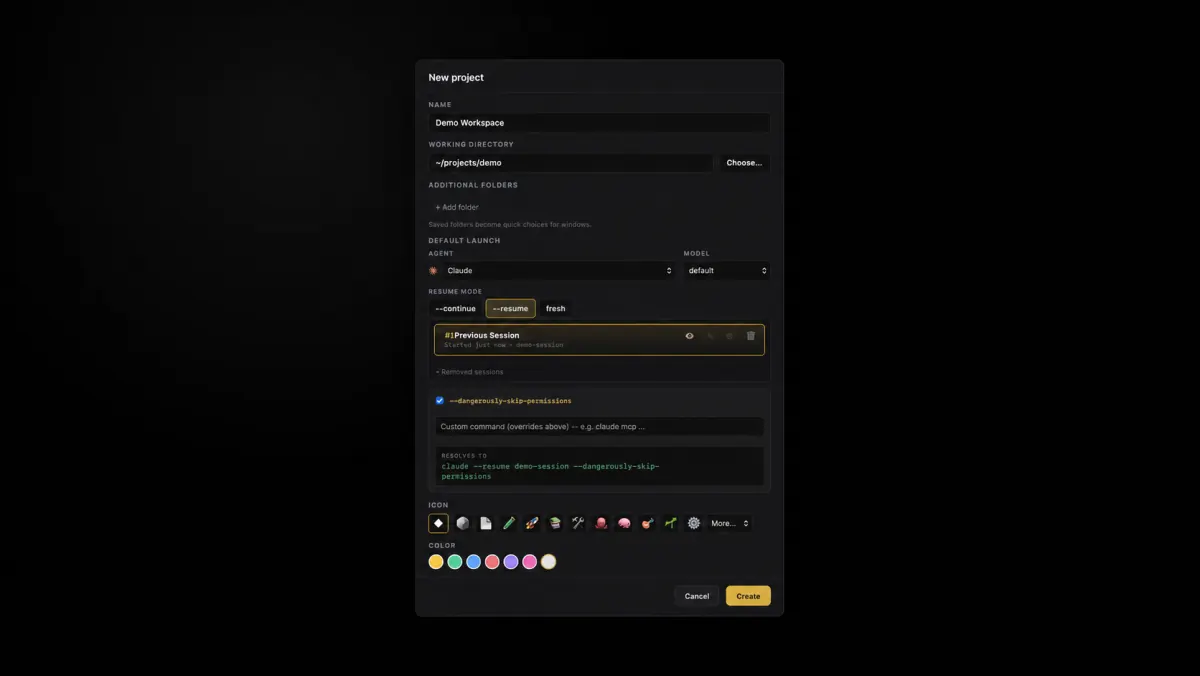
- Open Hydra and choose New project. Name it after the work you want to return to.
- Choose the folder where you used the agent. Select that agent in the project dialog.
- Review the previous-session list. Select the session you want to continue rather than starting a fresh one.
- Create the project. The provider’s CLI resumes the selected session inside Hydra. Keep related windows and panes under that project.
Next, learn what keeps running when you close the app.