Hydra practical guides
Your terminal stays on your machine. You can check it from your phone.
An agent is working on your home computer, but you only want to glance at its progress. Optional Hydra Remote connects your browser to the same workspace instead of starting a different terminal somewhere in the cloud.
Before you connect
Use an official Hydra package with Remote integration, a Hydra account and a browser that supports the required device authorization. Keep the desktop awake and online. Local desktop use does not require an account; hosted Remote does.
Reach the same workspace
- Sign in to Hydra in your browser and follow its browser authorization prompts.
- Choose Add Desktop and follow the enrollment instructions on the machine you want to reach. Treat the short-lived enrollment code as private.
- On your phone, sign in and complete that browser’s authorization. Select the enrolled desktop.
- Open the project and pane already running there. You are interacting with the terminal on that machine, not a copy of it.
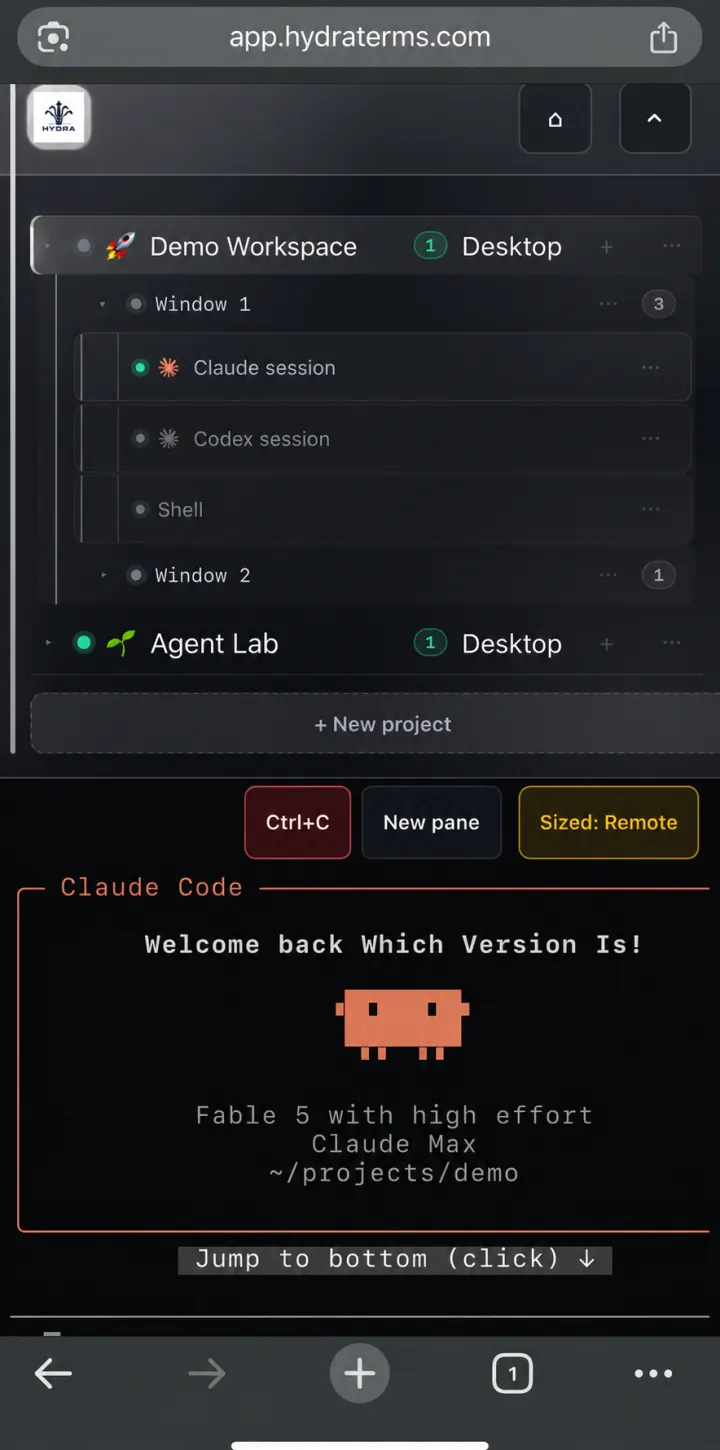
No inbound Hydra port
The desktop exposes no public terminal listener. Both ends make outbound connections. Hydra first attempts authenticated WebRTC connectivity; when a direct route is unavailable, a relay can forward the DTLS-encrypted traffic without decrypting the terminal content.
This is not a promise to bypass every network restriction. The required outbound connections must be permitted. A network can block both direct and relay paths. Follow your organization’s network and device policies.
What stays private
The cloud handles accounts and signaling rather than terminal content. Authorized endpoints can see the terminal, and any agent you run has its own permissions and provider data handling. Read the privacy notice for the full service scope.
If the desktop is unavailable, check that it is awake, enrolled, connected and running the required services. A sleeping or offline machine cannot be made reachable simply by opening the browser.
Want to build this into your own tool? Start with the open-source Remote components. They are not a turnkey hosted-service replacement.